Category: Bidding Strategies

  • Are Your Google Ads Wasting Money on Clicks You Already Own?

    Are Your Google Ads Wasting Money on Clicks You Already Own?

    Are Your Google Ads Wasting Money on Clicks You Already Own?
    You’re running a successful Google Ads campaign. The clicks are coming in, the conversions are tracking, and everything looks great on the surface. But what if a significant chunk of that budget—as much as 20% or more—is being spent on traffic you would have gotten for free anyway?

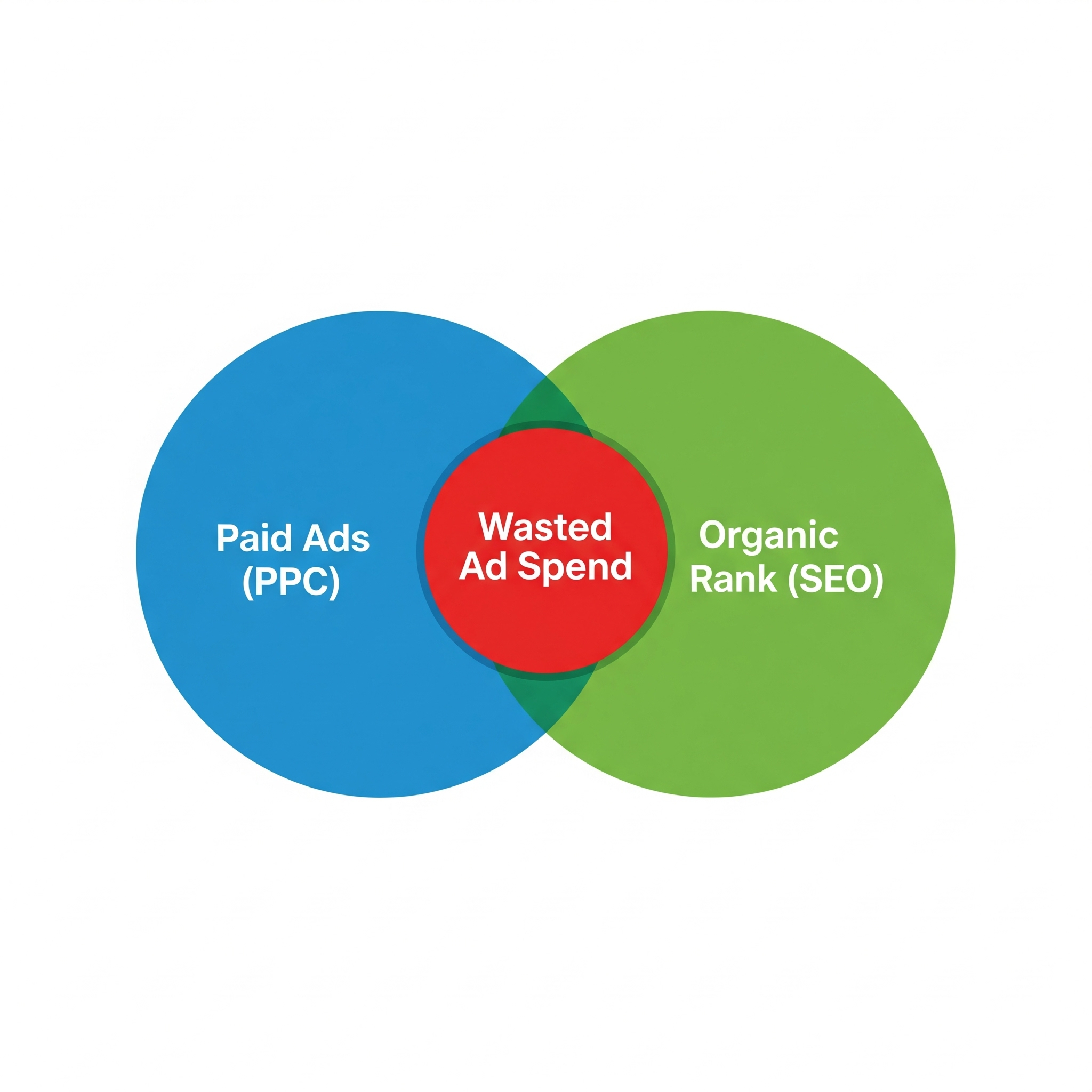
    It sounds counterintuitive, but it happens all the time. This hidden budget drain is called SEO and PPC overlap, and if you’re not actively looking for it, you’re almost certainly wasting money. It’s the digital equivalent of paying for advertising space right in front of your own shop window.

    The Hidden Cost of Success: What is SEO & PPC Overlap?

    SEO (Search Engine Optimisation) and PPC (Pay-Per-Click) are two sides of the same coin. SEO is the long-term effort to get your website ranking highly in the organic (free) search results. PPC, primarily through Google Ads, is the process of paying to appear at the top of the search results instantly.

    SEO & PPC overlap occurs when you pay for an ad click on a search query where your website already ranks in one of the top organic positions.

    Think about it: a user searches for your brand or a key service you offer. They see your paid ad at the top and click it. You pay for that click. But just below it, your website is sitting in the number one organic spot. Would they have clicked that free link if the ad wasn’t there? Very likely. That’s the budget you could be saving and reinvesting.

    Why You Can’t Afford to Ignore This Data

    Uncovering this overlap isn’t about blindly cutting your ad spend. It’s about making smarter, more strategic decisions with your marketing budget. By digging into the data, you can:

    • Identify Genuine Waste: Pinpoint high-cost keywords where you’re simply overpaying for traffic that your strong SEO performance would have captured for free.
    • Bid Smarter, Not Harder: Instead of paying a premium for every click, you can strategically lower your bids on terms where you have strong organic visibility, letting your SEO do the heavy lifting. This frees up budget for more competitive areas.
    • Achieve SERP Domination: Sometimes, owning both the top ad and the top organic result is a massive power move. It pushes competitors further down the page, builds immense brand credibility, and can significantly increase your total clicks. Knowing where this is happening allows you to double down intentionally, not accidentally.

    The problem is, Google doesn’t exactly hand you this report on a silver platter. The data exists, but it’s buried across different platforms.

    How to Find the Overlap: A Quick Guide

    You don’t need complex developer scripts to get started. While using the Google Ads API is an advanced option, anyone can begin to uncover this data with a bit of manual work.

    • Pull Your Google Ads Data: Go into your Google Ads account and run a “Search Terms” report for the last 30-60 days. You’ll want to export the data for Search Term, Clicks, Impressions, and CPC (Cost Per Click).
    • Pull Your Search Console Data: In Google Search Console, go to the “Performance” report. Set the same date range and export your “Queries” report, making sure you include Queries, Clicks, Impressions, and Average Position.
    • Combine and Analyse: Now for the important part. In a spreadsheet (using a VLOOKUP or similar function), combine these two reports by matching the “Search Term” from Ads with the “Query” from Search Console.

    You are looking for rows that show:

    A high CPC in your Ads report.

    An Average Organic Position of 1, 2, or 3 in your Search Console report.

    When you find these, you’ve found your overlap and a potential source of wasted budget.

    You Found It… Now What? Strategic Decisions

    Once you have the data, you can make informed choices:

    • For Branded Searches: If you rank #1 organically for your own brand name but are still paying a high CPC, you can confidently reduce your bids. Your customers are already looking for you.
    • For High-Intent Keywords: If a keyword is highly competitive and crucial for conversions, owning both the ad and the organic spot might be the best strategy for SERP domination. This is a deliberate choice, not an accident.
    • For Informational Keywords: If you rank highly for a “how-to” or informational query, you might decide to pull back on ad spend for that term, as the user is likely in a research phase and the organic result will serve them well.

    The Expert Solution: Stop Guessing, Start Optimising

    Let’s be honest—this process is time-consuming, and interpreting the data requires a deep understanding of both SEO and PPC. Making the wrong call could mean losing valuable traffic.

    This is where partnering with a specialist marketing agency is invaluable. At The Shift Labs, we live and breathe this data. We don’t just run siloed SEO or Google Ads campaigns; we create a unified strategy where every part works in harmony. We conduct these audits regularly to ensure your budget is being invested, not wasted.

    Instead of spending hours in spreadsheets, you can have a team of experts continuously optimising your accounts for maximum efficiency and growth.

    Ready to find out if your ad budget is working as hard as it should be? Visit Our Website to Book a call to learn more about our data-driven approach.


  • Your First Google Ads Campaign: A Step-by-Step Guide for Beginners (2025)

    Your First Google Ads Campaign: A Step-by-Step Guide for Beginners (2025)

    Your First Google Ads Campaign: A Step-by-Step Guide for Beginners (2025)

    If you’re new to Google Ads, you might feel a little overwhelmed by all the options, settings, and strategies available. The good news is that starting your first campaign doesn’t have to be complicated. With a clear step-by-step plan, you can set up ads that actually reach the right people, bring in traffic, and generate leads or sales.


    What’s New in Google Ads for 2025? The Rise of AI


    Before we dive in, it’s important to understand that Google Ads is more intelligent than ever. The biggest trend for 2025 is the deep integration of Artificial Intelligence (AI). Here’s a quick look at what that means for you:

    AI-Powered Campaigns: Google is heavily pushing automated campaign types like Performance Max, which uses AI to find your ideal audience across all of Google’s channels (Search, Display, YouTube, etc.). While we’ll start with a more fundamental campaign type, it’s good to know this is the future.

    Smarter Bidding: AI-driven “Smart Bidding” strategies automatically optimize your bids to help you achieve your goals, like maximizing conversions or clicks.

    Conversational Ad Setup: Google is rolling out a new chat-based campaign creation process where you can simply describe your business and goals, and AI will suggest entire campaigns for you.

    With that in mind, let’s get started on building your foundational knowledge and your first campaign!

    This guide will walk you through every stage of building your first Google Ads campaign in 2025.

    Step 1: Create Your Google Ads Account (and a Pro Tip)

    First things first, you’ll need a Google Ads account.

    1. Go to the Google Ads website and click “Start now.”
    2. Sign in with your existing Google account or create a new one.
    Create Your Google Ads Account

    Pro Tip: Google will try to guide you into a “Smart Campaign” setup. For more control and to learn the platform properly, look for a button that says “Switch to Expert Mode” or something similar. This will give you access to all the features and settings we’ll be discussing.

    Step 2: Define Your Campaign Goal

    Before you even log into Google Ads, be clear on what you want to achieve. Do you want more website traffic, leads, phone calls, or online sales? Google Ads will ask you to choose a goal, and this will shape how your campaign is structured.

    Example goals:

    Campaign Goal


    Drive traffic to your website

    Goal: Get more people to visit your website.

    How it works:
    Google Ads shows your ads to users who are likely interested in your products or services. When they click the ad, they’re taken to your website. This is useful for increasing visibility, brand awareness, or guiding users to specific pages (like a product or service page).


    Generate sign-ups for a newsletter

    Goal: Encourage users to subscribe to your email list.

    How it works:
    Ads are designed to lead users to a landing page with a sign-up form. The messaging focuses on the benefits of subscribing (e.g., exclusive offers, updates, or content). This helps build a direct communication channel with potential customers.


    Sell products directly from an online store

    Goal: Increase online sales.

    How it works:
    Google Shopping or Search ads show your products with images, prices, and links. Users can click and buy directly from your site. These campaigns are optimised to target users who are ready to make a purchase.

    Step 3: Choose Your Campaign Type

    Based on your goal, Google will suggest different campaign types. Here are the most common:

    Campaign Type
    • Search: Text based ads that appear on Google search results pages.
    • Display: Image based ads that appear on websites across the internet.
    • Video: Video ads that run on YouTube.
    • Shopping: Product listings that appear on Google Shopping.
    • Performance Max (PMax): An all in one campaign type that uses AI to run ads across all of Google’s channels.

    For beginners, we highly recommend starting with a Search campaign. It’s the most direct way to reach people who are actively looking for what you offer.

    Step 4: Set Your Budget and Bidding Strategy

    Budget: You’ll set a daily budget, which is the average amount you’re willing to spend per day. Google may spend more or less than your daily budget on any given day, but it won’t exceed your monthly charging limit. Start with a budget you’re comfortable with you can always adjust it later.

    Bidding: This tells Google how you want to spend your money. For beginners, a good starting point is the Maximize clicks bidding strategy. This will help you get as much traffic to your website as possible within your budget.

    Step 5: Campaign Settings (Location, Language, Ad Schedule)


    Location: Target the specific geographic areas where your customers are. You can target countries, regions, cities, or even a radius around a specific address.

    Language: Select the languages your customers speak.

    Ad schedule: You can choose to run your ads on specific days and at certain times.

    Step 6: Keyword Research: The Heart of Your Campaign


    Keywords are the words and phrases people type into Google. You’ll bid on these keywords to have your ads show up.

    • Think like your customer: What would they search for to find your product or service?
    • Use Google’s Keyword Planner: This free tool within Google Ads will help you discover new keywords and see their search volume and estimated cost.
    • Keyword Match Types:
      • Broad Match: Shows your ad for a wide range of related queries. Use with caution as it can lead to irrelevant clicks.
      • Phrase Match: Shows your ad for queries that include the meaning of your keyword.
      • Exact Match: Shows your ad for queries that are the same meaning as your keyword.

    For beginners, starting with a mix of phrase match and exact match keywords is a good strategy.

    Step 7: Create Compelling Ad Copy

    Your ad is what will convince people to click. In 2025, you’ll be using Responsive Search Ads (RSAs). With RSAs, you provide multiple headlines and descriptions, and Google’s AI will mix and match them to create the best ad for each search.

    • Headlines (up to 15): Make them catchy and include your keywords.
    • Descriptions (up to 4): Provide more detail about your offer and include a strong call-to-action (e.g., “Shop Now,” “Learn More,” “Get a Free Quote”).

    Step 8: Set Up Ad Groups

    Ad groups are used to organize your keywords and ads into common themes. For example, if you sell shoes, you might have ad groups for “running shoes,” “men’s dress shoes,” and “women’s sandals.”

    A good rule of thumb is to have 15-20 closely related keywords per ad group.

    Step 9: Review and Launch!

    Take a final look at all your campaign settings. Check your budget, targeting, keywords, and ad copy. Once you’re happy with everything, click “Publish campaign.”

    Congratulations, your first Google Ads campaign is now live!

    After the Launch: What’s Next?

    Your work isn’t done once the campaign is live. Now it’s time to monitor your performance and make optimisations. Keep an eye on key metrics like:

    • Clicks: How many people are clicking on your ads.
    • Impressions: How many times your ads are being shown.
    • Click-Through Rate (CTR): The percentage of people who click your ad after seeing it.
    • Cost Per Click (CPC): The average amount you’re paying for each click.

    Conclusion

    Launching your first Google Ads campaign in 2025 is an exciting step toward growing your business. By following this guide, you’ve set a solid foundation for success. Remember to be patient, keep learning, and don’t be afraid to experiment.

    Need Help Running Your Ads, Book your call today for a Free Quote