
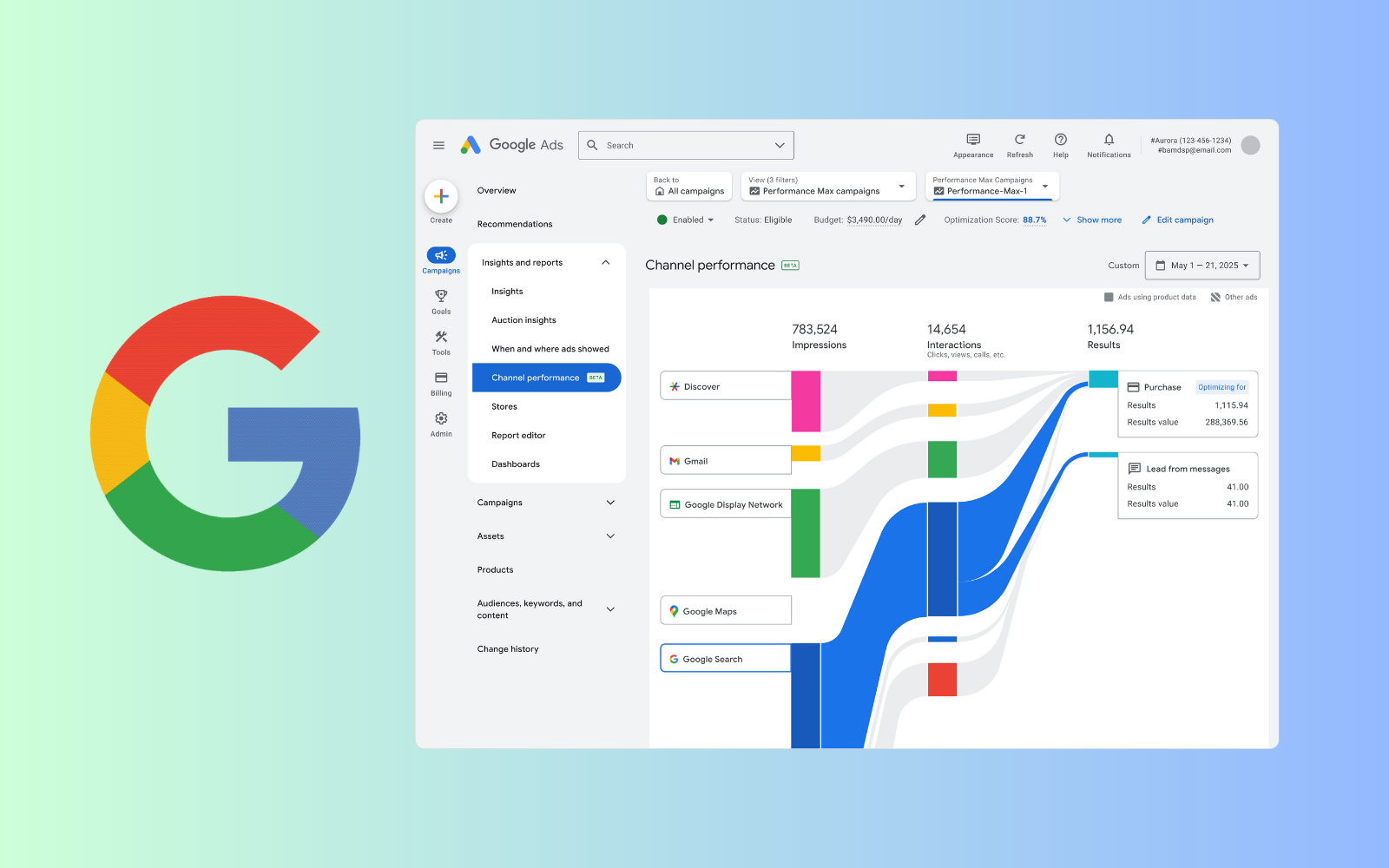
Performance Max (PMax) campaigns promise ultimate scale, seamless automation, and unparalleled reach across the entire Google network.
But this automated powerhouse has a dark side. If you leave it unchecked, the PMax ‘black box’ will quietly burn through your ad spend on unqualified clicks and irrelevant traffic.
So, how do you stop this budget drain?
You can regain control with one of the most powerful tools in your advertising arsenal: Negative Keywords.
What Are Negative Keywords in Performance Max?
Negative keywords are terms you use to instruct Google which searches you don’t want your ads to appear for. When you add a negative keyword, you prevent your ads from showing for irrelevant queries, which acts as a crucial filter for your ad spend.
This simple action gives you direct control over your campaign, ensuring only users with a high probability of converting will see your ads.
In the automated world of Performance Max, where manual control is limited, negative keywords are more than just a feature—they are essential guardrails. They represent one of the most effective levers you can pull to stop PMax from spending your money on clicks that will never convert.
The Alarming Stat: 68% of PMax Campaigns Leak Budget
One of the most staggering findings from Opteo’s research is that a full 68% of Performance Max campaigns use zero negative keywords. That figure climbs to over 80% for campaigns using 10 or fewer.
“68% don’t use a single negative keyword against Performance Max. And over 80% used 10 or less. That’s across account-level negatives and shared lists – before campaign-level negatives were even available.”
This isn’t a small-scale analysis. Opteo’s research covered nearly 25,000 PMax campaigns with over $26 million in monthly ad spend. The message is clear: most advertisers have given Google a blank check, which is likely being cashed on worthless traffic.
Why Do Advertisers Underuse Negative Keywords?
This widespread underutilization isn’t just an oversight. It stems from several key issues:
- Initial Friction: When PMax first launched, adding negatives was a complicated process that required workarounds. These early difficulties created lasting bad habits for many advertisers.
- Lack of Historical Context: Marketers who are new to Google Ads may not have learned the core discipline of keyword sculpting and may place too much trust in automation.
- The “Set and Forget” Illusion: Google markets PMax as an easy, all-in-one solution. This encourages a hands-off approach, but that convenience comes at the cost of precision and budget efficiency.
- Blind Trust in the Algorithm: Many advertisers assume PMax is “smart enough” to avoid waste on its own. In reality, the algorithm will continue spending on irrelevant terms until you explicitly tell it where to stop.
“You might not feel the pain right away. But that doesn’t mean inefficiencies aren’t happening.”
4 Types of Negative Keywords to Add to PMax Immediately
So, where is your budget going? Guillaume pinpointed four major categories of wasteful search terms that you should exclude from your PMax campaigns.
1. Competitor Keywords
PMax often bids on competitor brand names. This traffic usually has low Quality Scores, high CPCs, and poor conversion rates. You should manage competitor campaigns separately, not within your primary PMax budget.
2. Overly Generic Search Terms
Broad phrases like “best tools” or “how to advertise” attract users who are researching, not buying. These top-of-funnel searches rarely lead to valuable conversions and can quickly drain your ad spend.
3. Informational “How-To” Queries
Searches starting with “what is” or “how do I” signal research intent, not commercial intent. PMax can’t tell the difference, but your budget feels the impact.
4. Irrelevant Search Matches
Sometimes, the AI simply gets it wrong. These are the queries that have no logical connection to your product, yet still trigger your ads and waste your money.
A 3-Step Playbook for PMax Negative Keyword Optimization
Whether you are launching a new campaign or optimizing an existing one, follow this methodical approach to add negative keywords.
- Use N-Gram Analysis Group search terms by recurring word fragments (like “free,” “jobs,” or “reviews”) to identify common wasteful themes. This data-driven approach is more efficient than reviewing individual queries.
- Evaluate with Early Indicators Don’t wait for conversion data. Use a low Click-Through Rate (CTR) to spot irrelevant terms early. In Google Analytics 4, check for high bounce rates or low engagement to identify poor user experiences that signal wasted clicks.
- Use ChatGPT to Find Hidden Themes Paste your non-converting search terms into ChatGPT and ask it to “group these into common themes.” This is a brilliant way to quickly spot wasteful patterns and modifiers you might have missed.
More PMax Optimization Tips: It’s Not Just Keywords
Negative keywords are a top priority, but other areas can also drain your PMax budget.
- Poor Business-to-PMax Fit: The algorithm thrives on clear signals. If you have a complex B2B service or a confusing website, PMax will struggle to find the right audience.
- Overly Broad Geotargeting: Don’t target an entire country by default. Start with specific, high-value locations and always set your location targeting to “Presence” to avoid paying for users merely “interested” in a location.
- Junk Placements: A huge source of waste is low-quality Display and Video placements, such as mobile game apps and spammy websites. Use pre-built exclusion lists and monitor your placement reports for suspicious domains.
How to Measure the Impact of Your PMax Negative Keywords
Prove that your optimization efforts are working by making the impact visible:
- Estimate Reclaimed Budget: Multiply the monthly clicks from your excluded terms by their average CPC. This gives you a clear estimate of the budget you have successfully reallocated to better opportunities.
- Monitor Post-Change Reports: After your exclusions go live, check your reports to verify that the blocked terms and placements no longer appear. This confirms your guardrails are effective.
Advanced PMax Optimization Checklist
- Use GA4 bounce rates to preemptively flag unqualified traffic.
- Ask ChatGPT to cluster and interpret high-volume, non-converting queries.
- Build shared negative keyword lists to apply learnings across multiple campaigns.
- Review placement performance by Top-Level Domain (TLD) to catch junk sites early.
- Audit all default PMax settings, especially Final URL Expansion, location targeting, and automatically created assets.
“When all those default settings stack up, it’s easy to find yourself with dodgy placements, dodgy ads, and irrelevant traffic – all in one campaign.”
Final Thoughts: Take Control of Your PMax Ad Spend
The era of full manual control in PPC is over, but that doesn’t mean you are powerless. While Performance Max can feel like a ‘black box,’ you still have powerful levers at your disposal—and negative keywords are one of the most impactful.
Success in modern PPC comes from working smarter, not just harder. If you run PMax campaigns without a robust negative keyword strategy, you are not just leaving money on the table—you are letting the machine burn it for you.